
Build a Daily Situation-Briefing Agent with MCP Tools and Area Watch
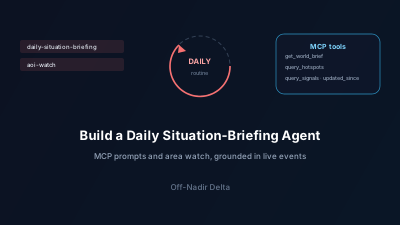
Quick Answer: A situation-briefing agent is an AI agent that produces the same short intelligence read every day — what happened worldwide, what is most severe, and what to watch next — instead of a one-off answer. With the Off-Nadir Delta MCP server you write the routine once as an instruction to your agent and it calls the tools itself. A daily run reads the free get_world_brief, lists the day's most severe events with query_signals filtered to the top severity band, and drills into the top event with assess_signal; an area watch calls query_signals with updated_since so the agent fetches only events updated since its last run — up to 500 signals per page, cursor-paginated — or query_developments to see what actually changed. Reading the brief and checking usage cost no tokens; the query and assessment tools are metered on your token balance. Connect it in one command with any MCP client.
Most people wire an AI agent to live data and then ask it one-off questions. The higher-value pattern is a routine: the same briefing, produced every morning, plus a standing watch on the places you care about. This post shows how to build that with the Off-Nadir Delta MCP server — writing the routine once as an instruction and letting the agent call the tools itself.
It is the operational third part of a short series: giving an AI agent live world-event awareness covers the surfaces, and from a world event to the satellite scenes over it covers the imagery chain. Here we make it recurring.
What is a situation-briefing agent, and what does it do each day?
A situation-briefing agent is an AI agent that runs a fixed intelligence routine on a schedule rather than answering a single prompt. Each day it reads the current world brief, lists the most severe recent events, and drills into the most significant one; for a watched area it can fetch only what has been updated since its last run. The value is consistency: the same structured read, every day, grounded in sourced events instead of a model's training snapshot.
Which tools does the routine use?
The Model Context Protocol lets a server expose tools (actions the agent takes) and resources (context it reads). A briefing routine needs only a handful of Off-Nadir Delta's tools; the MCP docs list the full, current roster.
| Tool | Role in the routine |
|---|---|
get_world_brief | The AI-synthesized World Brief for the previous UTC day — free |
query_signals | Geolocated events for an area and window, filterable by severity band, with a differential mode (updated_since) |
query_developments | What actually changed about the events in an area — new events and updates to existing ones, told apart |
assess_signal | A remote-sensing assessment of one event: whether and how a satellite could confirm it |
get_usage | Your remaining token balance — free |
How do you run a daily world briefing with the MCP server?
Give the agent the routine as a standing instruction. It reads get_world_brief — the AI-synthesized World Brief (headline, executive summary, top developments, a per-theme roll-up and ranked signals), which costs no tokens — then calls query_signals with the top severity band (min_severity_band: 9) to list the day's most severe events, and assess_signal on the top one. You get a consistent morning read: what happened, what matters most, and what to look at next. In an MCP client this is a single instruction, for example:
Using the Off-Nadir Delta tools: read the latest World Brief, list the signals from the last
24 hours in the highest severity band, then run assess_signal on the first one.
Because get_world_brief and get_usage are free of token charges, the "read the brief and check my balance" part of the routine costs nothing; only the query_signals and assess_signal steps spend from your token balance. The severity-band filter needs a plan with event filters; on Free it is not applied, and meta.filter_clamp says so. The same brief is also published in the app as the Daily World Brief, so the agent's briefing matches what a human analyst would read in the product.
How do you watch a specific area of interest for change?
Call query_signals scoped to a bounding box. To make it a watch rather than a re-read, the signals tool supports a differential mode: pass updated_since and it returns only events updated after that timestamp — so a scheduled agent fetches the delta since its last run instead of the whole window. Results come back up to 500 signals per page, cursor-paginated, each with coordinates, a severity score, source links, and a recommended sensor. Over the REST API the same call is a plain request:
# Only armed-conflict events in a bounding box that changed since the last poll
curl -H "Authorization: Bearer ond_..." \
  "https://offnadir-delta.com/api/v1/signals?bbox=30.0,50.0,31.0,51.0&categories=armed_conflict&updated_since=2026-09-27T06:00:00Z"
When the question is "what changed" rather than "what was reported", use query_developments instead: it separates new events from updates to events already reported, and says for each change what the value was and what it became. An agent running this on a schedule turns it into a standing brief: "here is what changed in your area since yesterday, ranked by severity, and here is why it matters." If you would rather not run the schedule yourself, a standing order (POST /api/v1/standing-orders, or client.standing_orders.create in the Python SDK; over MCP, create_watch saves the area to your Watchlist) puts the area under continuous watch on the server — the same as the app's "Watch this area": it is checked weekly and notifies only when new events cross the reporting bar (subject to a per-plan limit on how many can run). For the definitions behind the feed — OSINT, GEOINT, and tip-and-cue — see the glossary.
How do you keep the agent's briefing grounded and honest?
Two habits. First, keep every claim traceable: each signal in Delta Signals links back to its original sources and to a location whose precision is stated, so the agent can cite evidence instead of asserting it — which is what makes the feed evidence-based rather than a black box. Second, preserve uncertainty: the assess_signal and ask_analyst tools return findings with calibrated confidence written to professional analytic standards (see what a daily intelligence report is), so the agent reports "moderate confidence, single source" honestly rather than overclaiming. In practice a well-behaved briefing agent states what it knows, what it infers, and what it cannot yet confirm.
What does a daily briefing agent cost to run?
The routine's read steps are free, and the analysis steps are metered on your token balance — there is no separate seat license or per-image contract. get_world_brief and get_usage cost no tokens; query_signals, query_developments, and search_imagery are billed per query; and assess_signal and ask_analyst are billed per call. Have the agent read the usage://current resource (or call get_usage) at the start of a run to pre-flight what it can spend, and it will degrade gracefully when the balance is low — brief first, deeper assessments only if budget remains. Both the API and MCP server are available on every plan, including Free; the only gate is your token balance. Current allocations live on the pricing page.
How do I connect the server to start?
Issue an API key from Account → Developer API, then register the server as an HTTP transport with your key as a bearer header. In Claude Code:
claude mcp add --transport http off-nadir-delta \
  https://offnadir-delta.com/api/v1/mcp \
  --header "Authorization: Bearer ond_..."
Any MCP client that supports HTTP transports connects the same way — Claude Code, Claude Desktop, Cursor, or VS Code — by pointing at https://offnadir-delta.com/api/v1/mcp and passing the Authorization header. Full client setup, the tool list, and the resource catalog are in the MCP server documentation.
When should you use an agent routine vs a REST cron job?
Use an agent routine over MCP when a person (or an assistant) should run it conversationally and read the result — a morning briefing you skim, an area watch you ask follow-up questions about. Use a REST cron job when the output feeds a machine — a dashboard tile, an alerting rule, a report generator — where you want deterministic JSON on a fixed schedule. They share the same token wallet and the same event layer, so the two combine: a scheduled REST poll can fill a common operating picture while an MCP-connected agent answers "so what changed, and why does it matter?" For the full REST surface and config blocks, see the event intelligence API and the API & MCP reference.

Remote sensing specialist with 10+ years in satellite data processing and AI. Founder of Off-Nadir Lab. Ph.D. in Informatics (Yokohama National University, 2026). Master's in Earth System Science and Technology (Kyushu University). Co-author, Remote Sensing Encyclopedia. More about the author →